Overview
Primalogik’s 360 feedback report can include a Summary Notes section near the top of the report. This section provides space to capture key takeaways and overall context for the results.
If enabled, you may also have the option to use AI assistance to generate an assessment summary automatically based on the feedback that was submitted (including written comments and ratings).
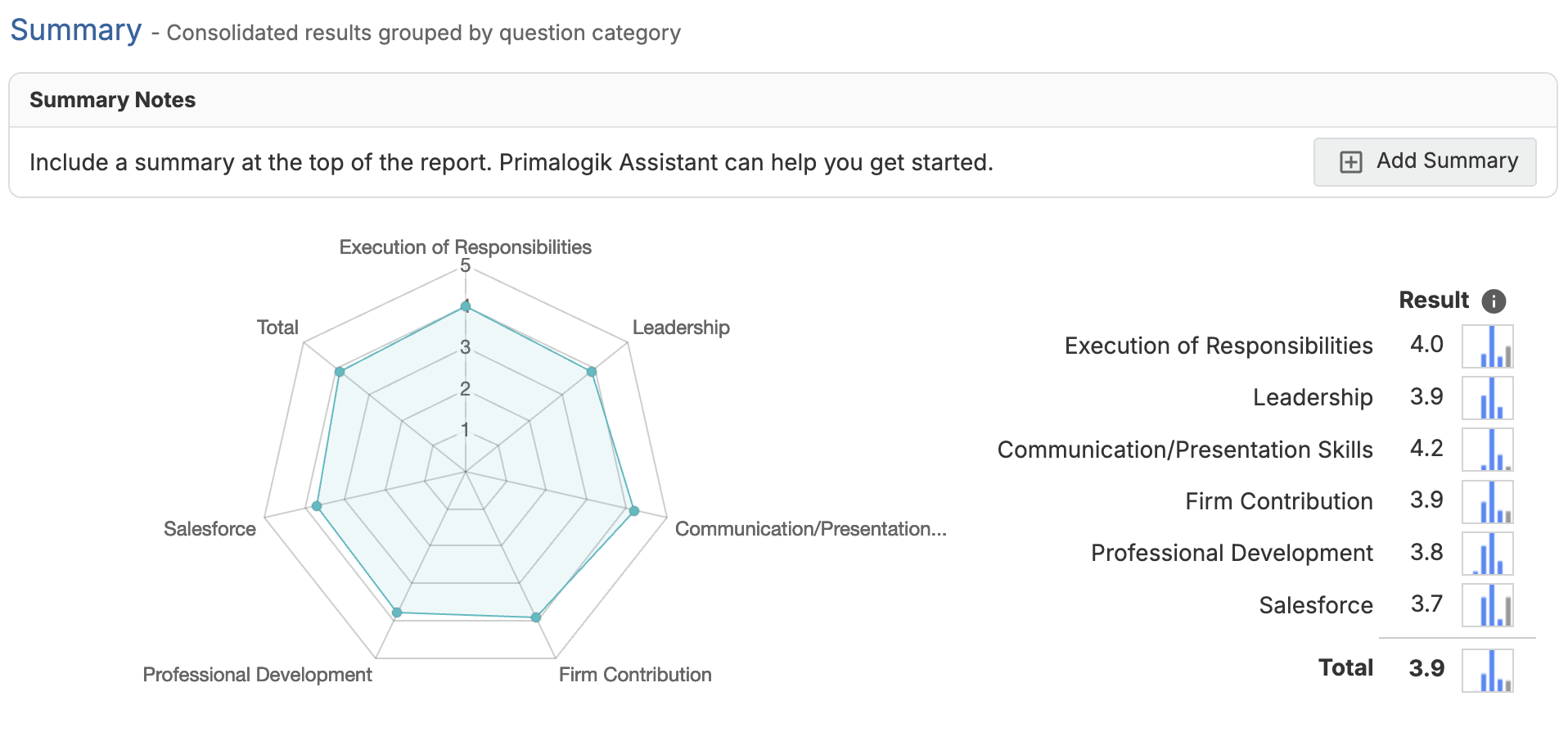
How Summary Notes Work
When the Summary Notes is enabled you can add a summary section by clicking on Add Summary:
- A summary area appears near the top of the 360 feedback report (within the Summary section).
- This area can be used to add a narrative overview, highlight themes, and capture key insights.
- Managers and HR administrators can edit the notes, making it easier to collaborate on crafting the summary.
- The reviewee cannot edit these notes on their own review.
If Summary Notes are disabled, the summary notes section will not appear in the report.
AI-Generated Assessment Summary
If your organization has enabled AI features in AI Settings, you can request an AI-generated assessment summary to help draft the content of the Summary Notes section.
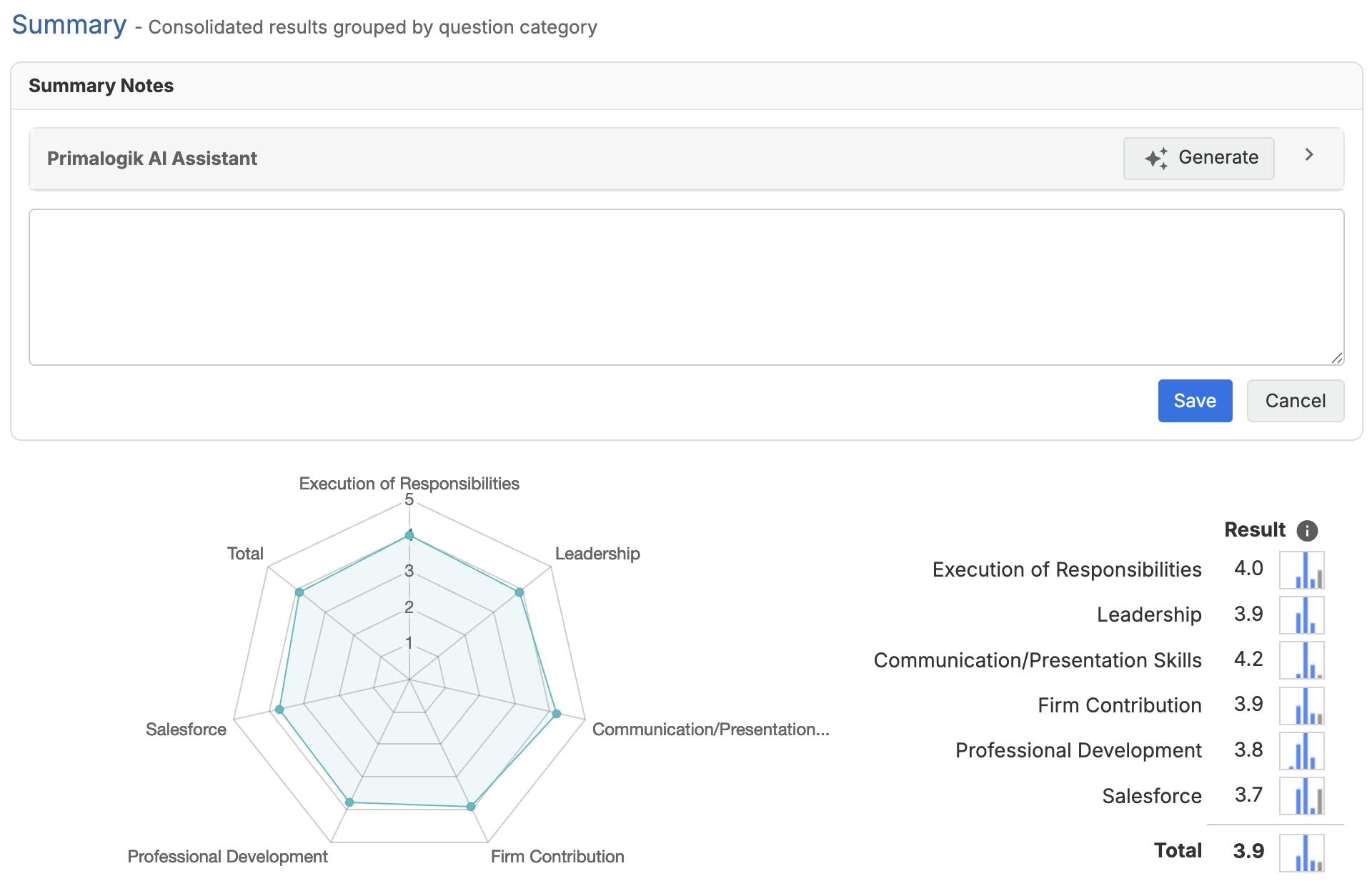
Use the "Generate" button to get an AI-generated summary. The assistant will summarize the results by evaluating all the feedback provided, including:
- All questions and written comments
- Ratings provided
- Blind spots or hidden strengths highlighted
Then, copy the AI-generated summary into the Summary Notes field, make any edits you need, and then save it once you’re done. When you generate a summary with AI assistance, the text is provided as a starting point. You can copy the AI-generated summary into the Summary Notes field, edit it as needed, and then save your changes.
Important: Requirement
The AI-generated assessment summary feature requires the Summary Notes section to be enabled. If Summary Notes are turned off, the AI summary option will not be available.
Where to Enable Each Setting
1. Enable Summary Notes (Appraisals and Surveys): Turn this on to make the summary notes section available in the 360 feedback report.
2. Enable AI-Generated Assessment Summary (AI Settings): Turn this on to allow AI assistance for generating a draft assessment summary. (Availability depends on your organization’s AI Settings.)
FAQ
What will the AI-generated summary contain?
The AI assistant will try to identify key patterns and themes in the feedback, highlighting strengths and areas for improvement. Always review the generated summary to confirm it’s accurate and appropriate—AI may make assumptions or include details you may not want to share.
Can I edit the AI-generated summary?
Yes. The AI-generated summary is meant to be a starting point. You can copy it into the Summary Notes text area, then revise it as needed to match your organization’s tone, context, and what you want to include. Once you’re happy with your changes, save the notes to keep the final version.
What does the AI use to generate the summary?
The summary is generated from submitted feedback (including comments and ratings). Comments hidden using the Edit Response feature are not sent. If a comment is edited, the edited version is used for summarization (not the original comment).
Was this article helpful?
That’s Great!
Thank you for your feedback
Sorry! We couldn't be helpful
Thank you for your feedback
Feedback sent
We appreciate your effort and will try to fix the article